
Payment link
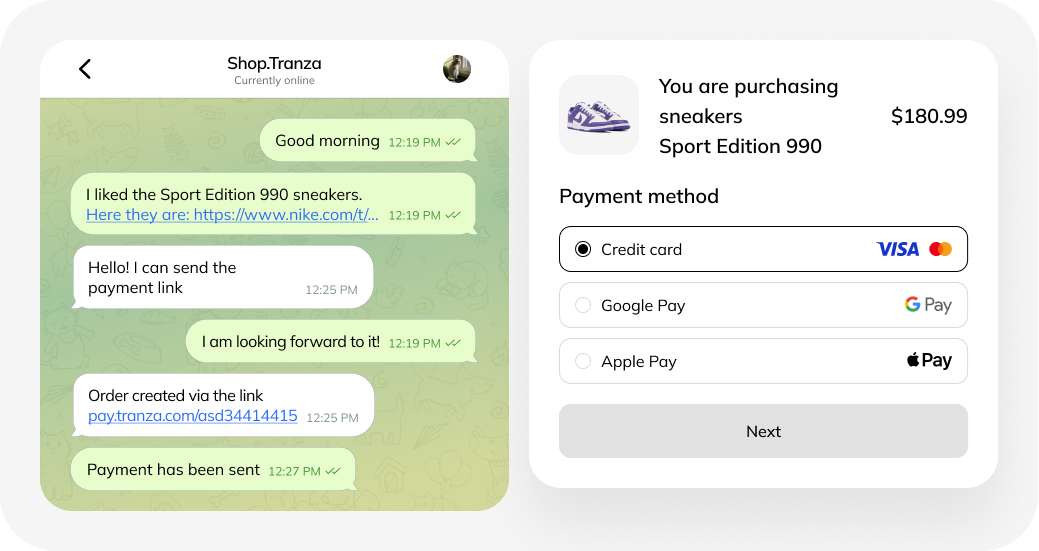
What is a payment link
A payment link is a ready-made form for accepting payments without your own website.
Benefits of a payment link
1. Convenience
- the link can be distributed via email, SMS, social networks, and messengers;
- if you specify a phone number while creating the link, it will be sent to the payer automatically by SMS;
- if the partner has the TRANZAKassir cloud cash register connected, all transactions are fiscalized.
2. Speed
- a link can be created in the Tranza dashboard or via API.
3. Security
- payment is completed on a secure payment page;
- after payment, the customer receives a receipt and e-receipt by email;
- the business receives a payment notification and funds to its settlement account.
How to create a payment link
- Connect payment acceptance in the Tranza service.
- Log in to the dashboard and go to the “Orders” tab.
- Fill in the product/service and payer details, and configure additional parameters (for example, subscription payments or fund holds).
- Issue an invoice — you will receive a payment link. The link can also be generated via API.
Who a payment link is suitable for
The solution is ideal for small and medium-sized businesses that work with invoices or payment links. For example:
- independent creators (pastry chefs, handmade sellers, etc.) selling goods through social networks;
- charitable foundations (can use payment forms and links without setting up receipts).
Where a payment link can be used
1. On Instagram
- send the link to customers in direct messages;
- after payment, the buyer receives an e-receipt with the organization’s details.
*Owned by Meta and designated extremist in the Russian Federation.
2. In Telegram
- create an online store using bots;
- send payment links in direct messages.
Important: when selling through social networks and messengers, sole proprietors and legal entities must use an online cash register. Instead of buying and configuring cash register equipment, you can rent the TRANZAKassir cloud cash register — TRANZA will handle setup and maintenance.
Frequently Asked Questions
Link validity period:
unlimited, but only for one payment (it becomes invalid after a successful payment).
Security:
yes, the buyer is redirected to a secure page with a choice of payment methods.
Settlement timing:
- when connected via TRANZA and using a Tinkoff account — the next calendar day;
- when using an account in another Russian bank — the next business day.
Automatic link sending:
available via SMS, email, or the Viber messenger.
How to connect a payment link
To connect, simply click the “Connect” button and get in touch with us — we’ll explain all the details and guide you through the process.